Real Check: AI image detector for photos
Is this photo real or AI? Real Check estimates how likely it is that an image was made by an image generator rather than taken with a camera, and gives a verdict. Free.
No sign-up and no card — a workspace opens in your browser the moment you arrive.
It looks at the picture without changing it, so you can ask before you share a picture, publish it or spend anything on it. It is free in the web app and through the API.
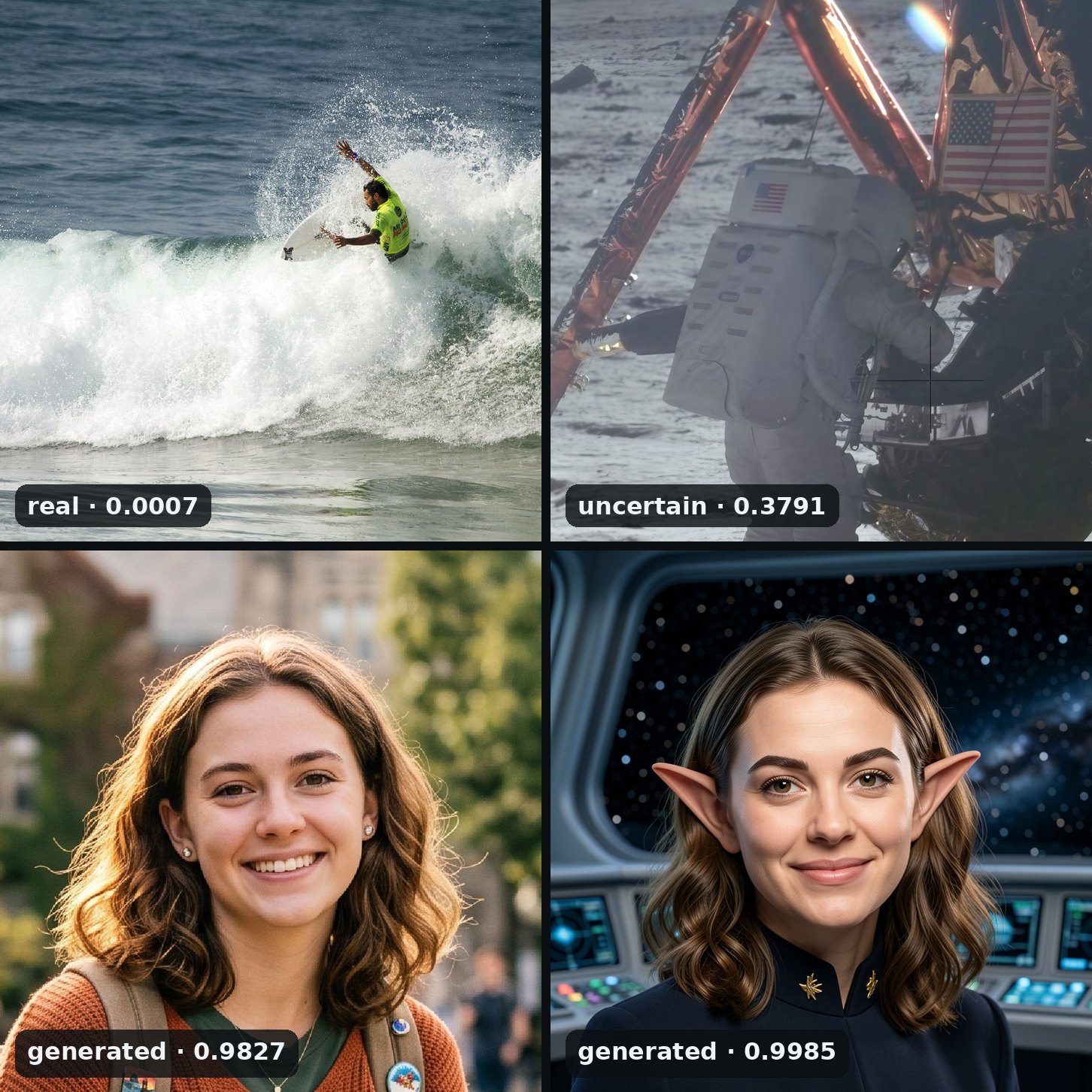
A photograph by Faypearse (CC BY-SA 4.0, via Wikimedia Commons); NASA’s photograph of an Apollo 11 astronaut after a 4× enhancement; a snapshot made with an image generator; and the headshot made from it.
Reading the answer
The answer comes in two parts:
- A probability, from 0 to 1, that the image was generated.
- A verdict: that probability placed against fixed lines, as real, generated or uncertain between them.
Don’t act on uncertain either way. From your own code, if you need a stricter or a looser line than the verdict’s, draw it on the probability.
Edited and enhanced photos
Restore and Enhance draw pixels, and Real Check may notice. The restored colour version of Einstein’s 1921 photograph reads as generated. The faded original reads as uncertain: old prints and scans are where Real Check is least sure.
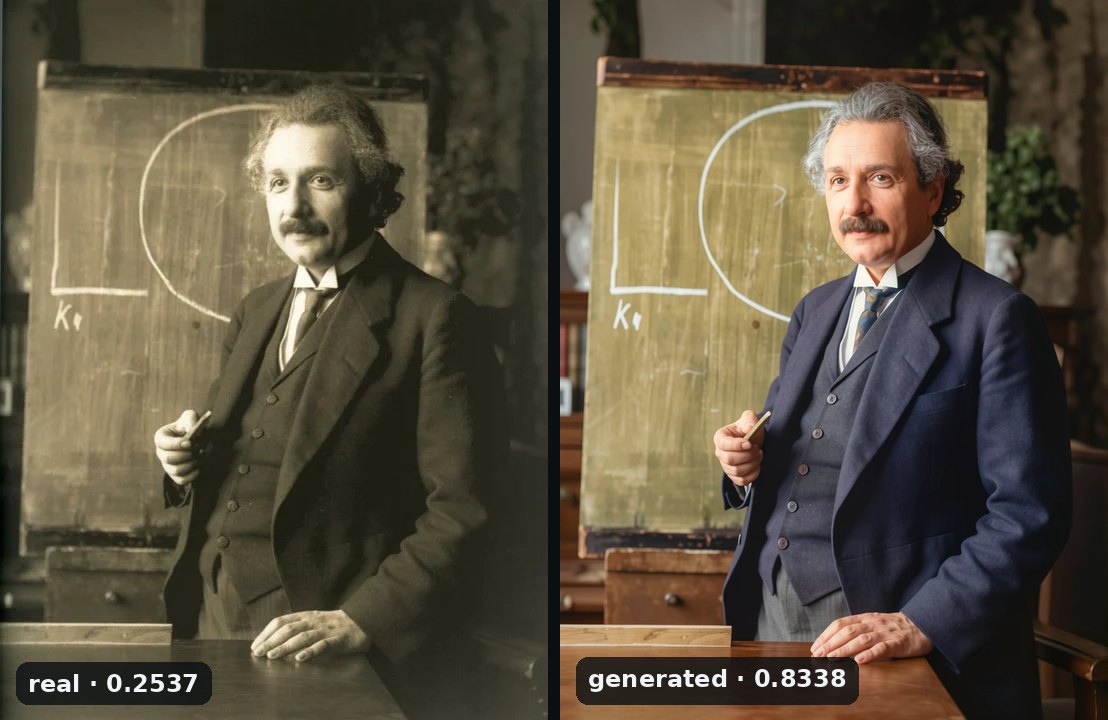
A generated verdict on a restored photo is correct, because a model drew its pixels. It says nothing about whether the scene happened; only the original can tell you that.
What it can’t tell you
- It is an estimate. It misses many photorealistic pictures of ordinary scenes from some current generators: of 100 such pictures from one of them, it called 35 generated and 64 real. A brand-new generator may get past it too.
- Old photographs are its least certain ground. A faded print or a scan can come back uncertain, and now and then generated.
- The score belongs to the file. Cropping, scaling or saving a picture again can move its score. Check the file you mean to use.
- Real is not a certificate. It means none of the signs Real Check knows were found, not that the picture is untouched.
To check a picture against the content policy as well, run Content Check, which is free too.
From your own code
Real Check is on the HTTP API, with clients for Python and TypeScript. Below every run in the web app, Equivalent HTTP API calls shows the same request in curl, Python and TypeScript, ready to copy. Your first API call, in three requests walks through getting a key and the three requests a job takes.
Try it on your own file
No sign-up and no card — a workspace opens in your browser the moment you arrive.
Open Real Check in the web app